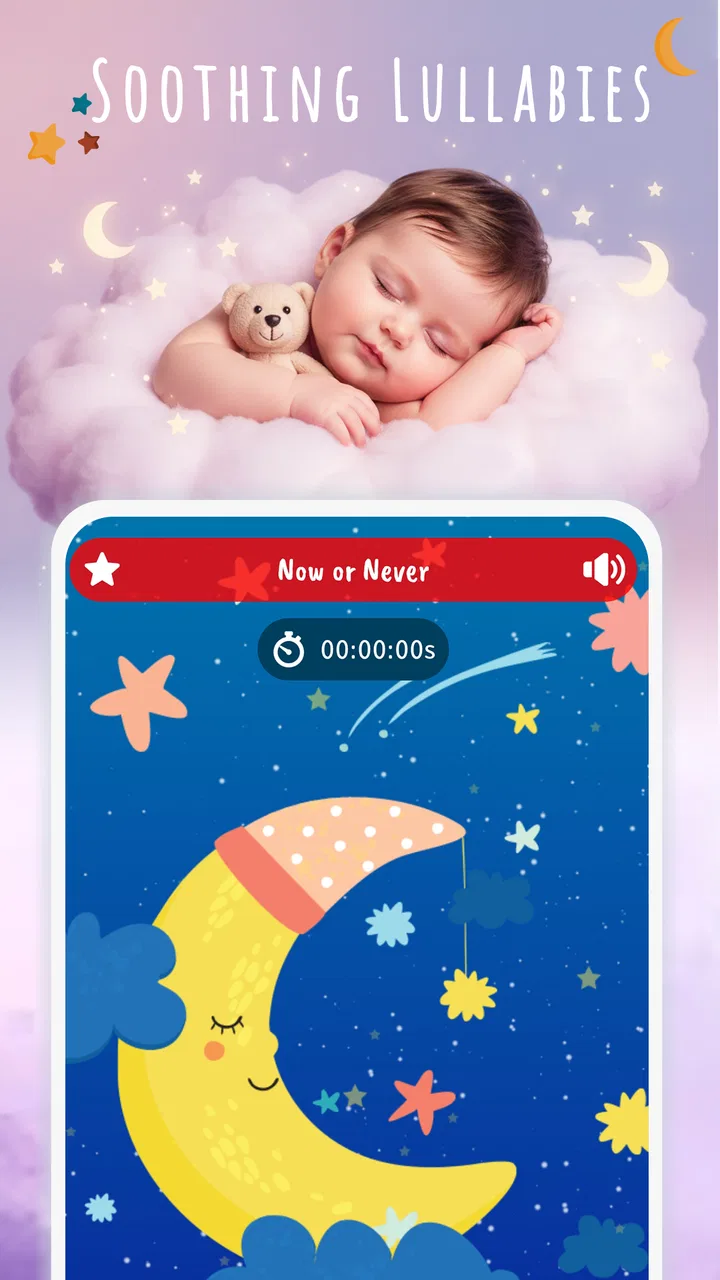
Lullabies: Baby Sleep Music
- 4.9
- Rating
- 1.00M
- Installs
- Free
- Price

 Analysis by App-foxy
Bedtime can turn into a surprisingly technical routine: the room is dark, the baby is tired, and one small interruption can restart the whole settling process. I tried Lullabies: Baby Sleep Music as a parenting app for those moments, and its appeal is straightforward. It puts gentle sleep music and lullabies in one place so I can start a calming background without searching through unrelated videos or playlists.
My impression is that this is most useful as a simple bedtime companion rather than a complete sleep-training system. It does not try to tell parents how to structure a night or interpret a child’s sleep. Instead, it focuses on sound. That narrow purpose is a strength when I want something quick, but it also means the app will not replace a broader baby routine, a monitor, or advice from a pediatric professional.
How the app fits into a connected bedtime routine
I find a shared bedtime routine works best when the music is only one handoff in a larger sequence: one caregiver can prepare the room and start the sound, while another handles the baby without needing to browse on the phone. Agreeing in advance on a familiar track and a quiet backup keeps the routine consistent when plans change. That makes it easier to judge whether the audio is helping, rather than adding another task to bedtime.
You May Also Like

 Blood Strike: 2.5 Anniversary
Blood Strike’s Loadouts Turn Every Drop Into a Tactical Gamble
A close look at Blood Strike’s custom loadouts: how fast access to signature weapons reshapes its battle royale rhythm, rewards preparation, and narrows the gap between fights.

 Pandora - Music & Podcasts
Pandora’s Music Is Easy to Start, but Harder to Recover
Pandora’s strength is its low-effort path from a seed to a station. Its weak spot is how much confidence it asks you to place in connection, setup, and quiet recovery.

 8 Ball Pool
 Is Built on Rivalries, Rematches, and Routine
A close look at the rivalries, rematches, shared routines, and unanswered safety questions that turn a quick pool match into a persistent mobile community.

 Samsung Music
’s Quiet Strength Is Playing What You Already Own
Its reach comes less from spectacle than from dependable access to a personal library. That simplicity is both the app’s strongest retention engine and its ceiling.

 AccuWeather: Weather Radar
AccuWeather Review: A Quick, Clear Forecast for Everyday Decisions
For everyday plans, the best forecast is the one you can understand quickly. AccuWeather makes rain timing, radar, and local conditions easy to act on, with a few trade-offs.

 Hill Climb Racing
Why Hill Climb Racing Still Turns Crashes Into One More Run
A tiny car, a bumpy hill and one more upgrade: Hill Climb Racing keeps resurfacing because its simple chaos makes every near-miss feel personal.
More From Our News Desk



A calm start, with the network still in the picture
The first thing I noticed is how much the experience depends on the moment in which I open it. If I am already holding a sleepy baby, I do not want to browse endlessly, compare dozens of tracks, or deal with a complicated setup. An app built around lullabies makes sense here because the intended action is immediate: open it, choose a soothing option, and lower the phone’s presence in the room.
That convenience should not be confused with guaranteed independence from the internet. A connected phone may be needed for parts of the experience, and the practical result can vary with signal quality, mobile-data access, or the way the app presents its content. I would therefore prepare the sound before beginning the final part of bedtime instead of waiting until the baby is already restless. This small change avoids turning a quiet routine into a troubleshooting session.
In my experience, the best use is to treat the app as one step in a repeatable sequence. I might dim the lights, finish feeding, place the phone away from the crib, and then start the selected music. The music becomes a familiar cue rather than an attempt to solve every sleep problem by itself. The most useful habit is starting the audio before the difficult moment arrives.
Why a phone is convenient and awkward at the same time
A smartphone is usually close at hand, which makes this kind of parenting app practical during late-night wake-ups. I can use the same device that I already carry instead of setting up a separate music player. That matters when I am tired or trying not to turn on a bright lamp.
There is a trade-off, though. A phone is also full of distractions. Notifications, incoming calls, a bright display, or the temptation to switch to another app can break the atmosphere. I found it better to select the music first, reduce interaction with the screen, and place the device somewhere that keeps it audible without putting it within a child’s reach. The app can support a calm environment, but the phone itself can easily work against that goal.
This is also where the app differs from a dedicated nursery sound machine. A sound machine is designed to stay in one place and do one job. Lullabies: Baby Sleep Music is more flexible because it travels with the phone, but it inherits the phone’s battery, connectivity, and notification issues. For parents who want a fixed bedside routine with no screen involved, a dedicated device may be the better choice.
Useful mobile situations beyond the nursery
The app makes the most sense when the baby’s sleeping environment changes. A visit to family, a hotel room, or a daytime nap in a stroller can feel unfamiliar, and a familiar style of music may help make the transition less abrupt. I would not expect the same result every time, but carrying a known audio routine is easier than carrying a full sound machine.
There is a practical detail worth considering in a moving setting: the phone may be handling other tasks at the same time. Navigation, messages, calls, and low battery can all affect how comfortable the setup feels. Before leaving home, I would check the phone’s charge and decide whether I am comfortable using mobile data during the nap. If the journey is important, I would also test the exact routine in advance rather than discovering its weak points beside a sleeping child.
For shared parenting, consistency matters more than ownership of the device. One parent can choose a track and another can repeat the same general routine later. That is easier than relying on one person’s memory of a particular playlist. Still, both adults should know how to start and stop the music, because a bedtime tool becomes less helpful when only one exhausted parent knows how it works.
Handling interruptions without waking the whole room
Connectivity becomes most noticeable when something fails. A weak connection, a delayed start, or an interruption from the phone can be harmless during the day but stressful at night. I would avoid experimenting with settings while the baby is settling. Instead, I would open the app earlier, confirm that the chosen sound begins normally, and keep a quiet backup plan nearby.
That backup does not have to be another app. It could be a familiar spoken lullaby, gentle humming, or a separate sound source that the family already trusts. The important point is not to make the entire bedtime routine depend on one connected device. If the app stops unexpectedly, a parent can continue the calming sequence without immediately reaching for a bright screen.
Recovery is also easier when the phone is positioned thoughtfully. If it is buried under blankets, placed too far away, or balanced somewhere unstable, fixing a small problem may create more noise than the original interruption. I prefer a stable location outside the crib and away from the baby, with the controls accessible to an adult. That setup reduces fumbling and keeps the phone from becoming part of the child’s sleep space.
What to do when the app is not the right answer
Not every waking is caused by a lack of background music. Hunger, discomfort, illness, an over-tired child, room temperature, or a disrupted routine may need attention that a lullaby cannot provide. I see this app as a cue for relaxation, not a diagnostic tool. If a baby is repeatedly distressed or sleep problems are persistent, I would look beyond the audio and discuss concerns with an appropriate healthcare professional.
I would also skip this app if the child becomes more alert when music is playing. Some babies settle better with silence, a parent’s voice, or a consistent low-level sound. The high rating and broad popularity do not guarantee that every child will respond positively. The right test is simple: does the sound make the particular bedtime calmer without encouraging more screen use or repeated parental intervention?
Data-conscious use on a parent’s phone
Because the experience may involve a connected phone, I would use it deliberately when mobile data matters. Starting the app over a home connection before leaving can reduce uncertainty, but I would not describe that as proof that every part of the experience will remain available without connectivity. The safest approach is to test the exact scenario—home, travel, weak signal, or airplane mode—before relying on it during a difficult nap.
Parents who share a phone with work or family tasks should also think about interruptions. A call or notification may be more disruptive than the music is helpful. Silencing nonessential alerts, lowering the display brightness, and keeping the phone screen off after starting the audio are sensible steps. These are not special features of the app; they are ways to make a connected bedtime tool behave more like a dedicated one.
I would be cautious about leaving the phone close to the child for long periods. The app’s purpose is to provide sound, not to become a toy or a glowing object in the sleeping area. A separate speaker may offer a more comfortable arrangement for families who use lullabies every night, while the phone remains the controller. That choice adds equipment, but it can reduce the temptation to check the screen.
What the developer and current release suggest
Dream_Studio has kept this parenting app focused on lullabies and baby sleep music rather than expanding it into a crowded collection of unrelated baby tools. The current version is 13.1, and the app supports devices running Android 6.0 or later. That makes it accessible to many older Android phones, although the actual smoothness of use will still depend on the phone, its battery condition, and the quality of its connection.
The app is free to install, with in-app purchases priced at $4.99 per item. I would treat the free starting point as a chance to check whether the sound style suits my child before spending anything. A purchase can be reasonable if it removes a limitation that affects my routine, but I would not pay simply because a baby is having one difficult night. The value depends on repeated use and on whether the available music genuinely becomes part of the family’s routine.
Its Everyone age rating is appropriate for a family-oriented audio tool, but parents still need to supervise the device itself. An age label does not determine where a phone should be placed, how loud the audio should be, or whether a particular sound is comfortable for a baby. I keep the volume gentle and avoid treating louder playback as a shortcut to better results.
Popularity is reassuring, but personal testing matters more
The app has an average rating of 4.9 from around 23 thousand ratings, with over one million installs and roughly 505 written reviews. Those figures tell me that many people find the concept useful, but they do not answer the questions that matter most in my home: whether my baby likes the sound, whether the app fits my phone, and whether connectivity behaves well at bedtime.
I would give it a fair trial across several ordinary situations rather than judging it after one nap. Try it during a calm evening, a short daytime rest, and a night when the routine is already familiar. Pay attention to whether the baby settles faster, whether the parent has to touch the phone repeatedly, and whether the music creates a predictable cue. Those observations are more useful than popularity alone.
Where it beats familiar alternatives—and where it loses
Compared with searching for individual lullabies on a video platform, this app feels more focused. I do not have to navigate unrelated recommendations or keep watching a visual feed while trying to settle a baby. That narrower purpose is valuable when I want audio without turning bedtime into entertainment.
Compared with a general music-streaming service, it is likely to feel more immediately relevant to a parenting routine. A general service may offer a wider range of artists, playlists, and controls, but that variety can create decision fatigue. If I already have a carefully prepared lullaby playlist and reliable playback, switching may not add much. The dedicated app is most appealing when I want a simpler starting point.
Compared with a nursery sound machine, the decision is about flexibility versus predictability. The app wins when I need something portable and already have a phone nearby. The sound machine wins when I want a device that is always ready, does not invite notifications, and is less tied to a networked mobile workflow. Neither option is automatically better for every family.
Small workflow changes that improve the experience
My preferred workflow is to choose the audio while the baby is still calm, check that it starts, set a modest volume, and then move the phone out of reach. I avoid changing tracks repeatedly because constant parental interaction can become part of the wake-up pattern. If one selection works, consistency is more valuable than searching for a supposedly perfect sound each night.
For travel, I would do a short rehearsal before the trip. Test the app in the room where the baby will sleep, notice how the phone behaves when the screen is locked, and decide what I will do if the connection drops. This is a more useful preparation than simply installing the app at the last minute. It also reveals whether the phone’s battery and speaker are adequate for the intended duration.
For two caregivers, I would agree on a simple rule: the music supports the routine but does not replace checking the baby. That prevents the app from becoming an automatic response to every sound. It also keeps expectations realistic. A lullaby can create a familiar atmosphere, while the parent still decides whether the child needs comfort, feeding, a change, or medical attention.
My verdict for connected family life
I recommend Lullabies: Baby Sleep Music to parents who want a focused, free starting point for gentle bedtime audio and who are comfortable using a phone as part of the routine. Its strongest quality is not complexity; it is the ability to give a tired parent one clear tool for creating a familiar sound environment. The app’s parenting focus makes more sense to me than assembling random tracks every evening.
I would be less enthusiastic for families seeking guaranteed offline playback, extensive sleep tracking, detailed parental controls, or a completely screen-free nursery setup. In those cases, a dedicated sound machine or an already-tested local music solution may be more dependable. I also would not choose it for a child who becomes more stimulated by music or for a household that cannot tolerate any dependence on a connected phone.
Overall, the app works best when I plan around its connected nature instead of pretending it is invisible. Starting early, controlling notifications, keeping the phone away from the crib, and having a non-screen backup make the experience calmer and more reliable. With those precautions, this is a sensible companion for naps and bedtime, especially when portability matters more than advanced sleep features.
FAQs for Lullabies: Baby Sleep Music
01What features does Lullabies: Baby Sleep Music offer?
Lullabies: Baby Sleep Music provides a variety of soothing lullabies and calming sounds designed to help babies sleep. The app features a customizable timer, a selection of white noise options, and an easy-to-use interface. Additionally, users can create playlists and adjust sound levels to tailor the perfect sleep environment for their little ones.
02Is Lullabies: Baby Sleep Music free to use?
Lullabies: Baby Sleep Music offers a free version with access to basic features and a limited selection of lullabies. However, for a more expansive library and additional features, such as ad-free usage and offline access, users can opt for a premium subscription. Pricing details are available within the app.
03Can I use Lullabies: Baby Sleep Music offline?
Yes, Lullabies: Baby Sleep Music allows offline use, but this feature is typically available with a premium subscription. Offline access enables users to play downloaded lullabies and sounds without needing an internet connection, making it convenient for travel or areas with limited connectivity.
04How customizable is the sound selection in the app?
The app offers a high level of customization, allowing users to mix and match different sounds, such as lullabies, white noise, and nature sounds, to create a personalized sleep environment. Users can also adjust the volume of each sound element and set timers to gradually fade the music out after a specified duration.
05Is Lullabies: Baby Sleep Music safe for my child’s hearing?
Yes, the app is designed with safety in mind. It includes volume control features to ensure the sounds remain at a safe level for a baby’s sensitive ears. Parents are advised to follow recommended volume guidelines and periodically check the app settings to maintain a safe listening experience for their children.
Pros
- Calming melodies to soothe babies.
- Customizable music playlists available.
- Easy-to-use interface for parents.
- Ad-free experience ensures no interruptions.
- Offline mode for travel convenience.
Cons
- Limited song variety might be an issue.
- Requires subscription for full access.
- Battery drain on prolonged use.
- No integration with smart home devices.
- Lacks multilingual support options.

Lullabies: Baby Sleep Music
Gallery